
Airflow Core Concepts - Part 1
This article dives into the core concepts of Apache Airflow, exploring how it enables robust, scalable workflow orchestration through DAGs, scheduling, task dependencies, and modular extensibility.


Directed Acyclic Graph (DAG)
An Airflow DAG (Directed Acyclic Graph) is a core concept in Apache Airflow, used to define a workflow — a series of tasks and their execution order. Think of it as a blueprint that tells Airflow what tasks to run, when to run them, and how they are related to one another. Each node in the DAG represents a task, and the directed edges define the dependencies between those tasks.
There are a few important constraints and things to keep in mind when working with DAGs. First, as the name suggests, a DAG must be acyclic, meaning tasks cannot form loops. This ensures the workflow runs in a logical sequence and doesn’t get stuck in an infinite loop. Additionally, DAGs are defined in Python, but the tasks themselves should ideally be idempotent — meaning if they are run multiple times, they won’t cause unintended side effects.
Another constraint is that a DAG should be defined fully at parse time. This means that any dynamic behaviour, such as conditionally adding tasks or logic based on runtime data, needs to be handled carefully — typically within the tasks themselves, not in the DAG structure. DAG files are parsed regularly by the scheduler, so they need to be quick and efficient to load.
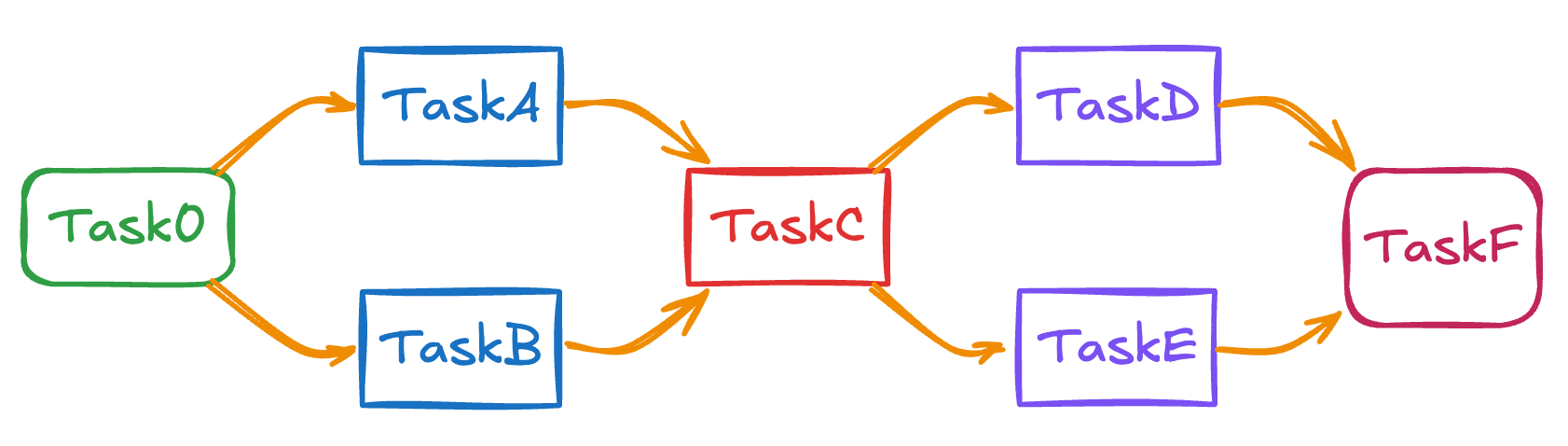
Below we can see a valid DAG design that there are no loops.
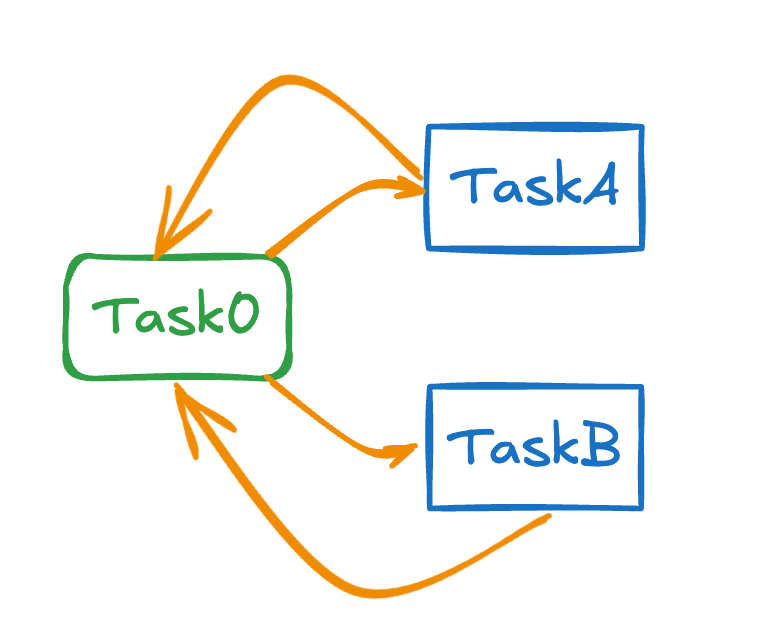
On the other hand the DAG below is not a valid one as there is a loop between the tasks.
Task
An Airflow task is a single unit of work within a DAG — it represents a step in the workflow, such as running a script, querying a database, or moving data. Each task is an instance of an operator, which defines what the task actually does. Tasks are the building blocks of an Airflow pipeline and are executed according to the order defined in the DAG.
There are some important constraints to consider. Tasks must be idempotent, meaning they should produce the same result even if run multiple times. This helps ensure reliability, especially in case of retries or failures. Tasks should also be stateless; any state should be stored externally, not within the task itself.
When creating tasks, it’s important to focus on clarity, runtime, and resource use. Tasks that take too long or consume too much memory can cause bottlenecks. Also, defining too many small tasks can overwhelm the scheduler. Always keep logs clean and use meaningful task IDs to make debugging easier. Good task design leads to more stable and maintainable workflows.
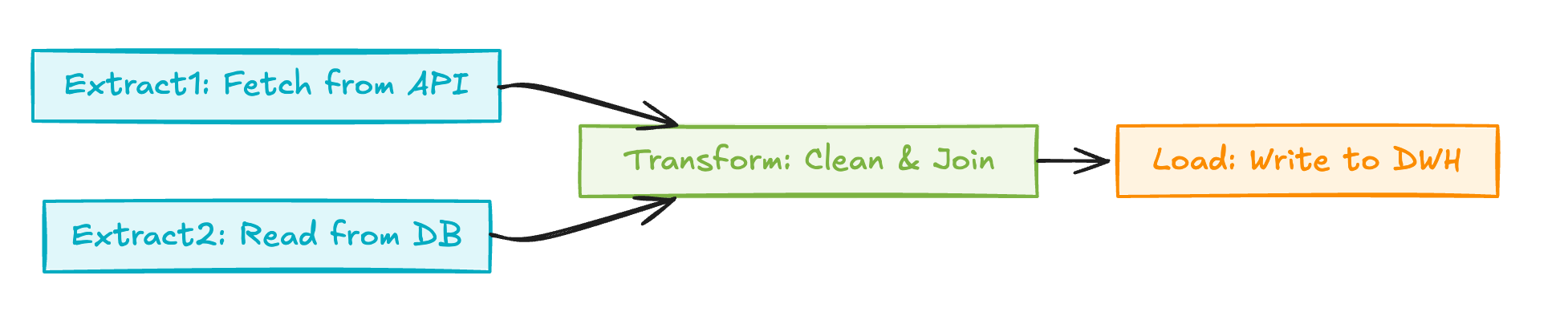
Below there is a sample DAG with different types of tasks executed from left to right.
Operator
An Airflow operator is a template that defines what a task does. It’s the core building block used to create tasks in a DAG. Each operator encapsulates a specific action — for example, running a Python function, executing a bash command, transferring data, or interacting with external systems like databases or cloud storage. When you define a task in Airflow, you're creating an instance of an operator.
Operators are designed to be reusable and composable. One important thing to keep in mind is that operators should focus on a single, clearly defined function. They should also avoid managing state internally — instead, they rely on Airflow’s infrastructure to track task execution and metadata.
Another key concept is idempotency. Because tasks may be retried on failure, operators should be written so they can run multiple times without causing issues. You should also avoid putting heavy logic directly into the operator; keep business logic inside scripts or functions that the operator triggers. This keeps the DAG code clean and easier to maintain. Overall, using the right operator for the right job — or creating custom ones when necessary — is essential for building clear and reliable workflows.
There are various types of operators in Airflow:
Action Operators perform specific actions such as PythonOperator or Bash Operator
Transfer Operators move data between systems such as S3ToRedshiftOperator
Sensor Operators wait for a condition such as ExternalTaskSensor or HttpSensor
Custom Operators allow you define your own by subclassing BaseOperator
Below there is a sample DAG demonstrating not only the tasks but also underlying operators that are executed to perform the tasks.

Scheduler
An Airflow scheduler is the component responsible for kick-starting DAG runs and submitting tasks to be executed. It continuously monitors your DAG definitions, evaluates their schedules, and enqueues tasks when their dependencies and timing conditions are met.
Airflow supports several scheduling types. You can schedule DAGs with classic cron expressions, preset intervals like @daily or @hourly, or even use timedelta objects for fixed intervals. In Airflow 2+, dataset-based (data-aware) scheduling lets DAGs run when upstream data changes. This evolved in Airflow 3 into full asset-centric pipelines, where assets tracked via functions or watchers trigger DAGs when data becomes available.
Airflow 3 also introduces external event scheduling, integrating with systems like AWS SQS or HTTP webhooks to start workflows in real time. Backfills are now managed by the scheduler, with UI/API control and live monitoring.
Conclusion
In conclusion, understanding Airflow’s core concepts—like DAGs, tasks, operators, and the scheduler—is essential to building reliable and scalable data workflows. In the upcoming article, we are going to install Apache Airflow to our local environment and start creating DAGs.